


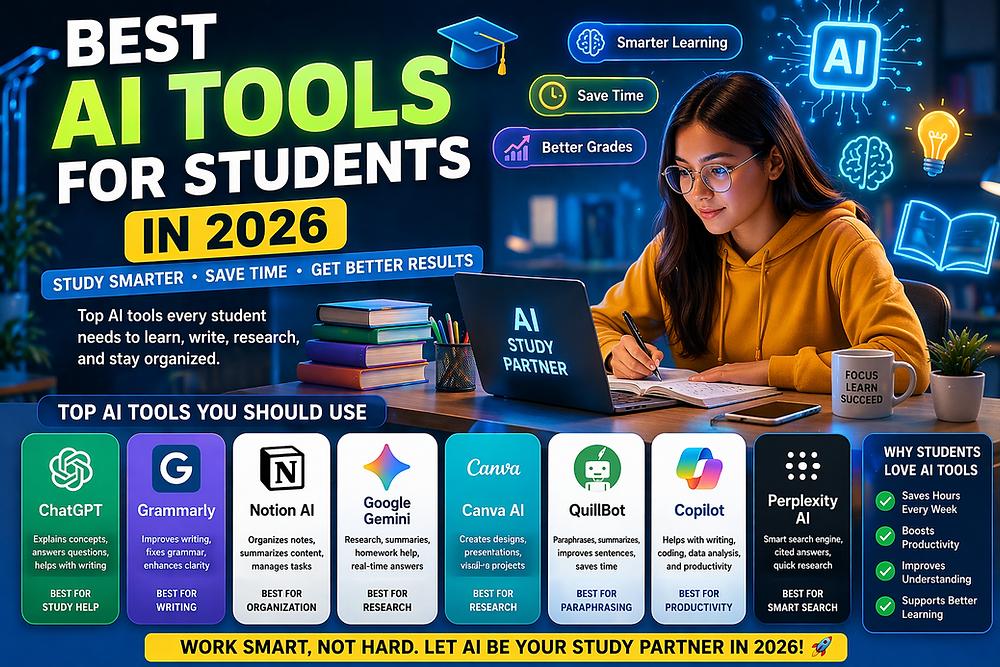
15 Best Free AI Tools That Can Save Hours of Work in 2026
Artificial Intelligence is no longer just a technology for developers and researchers. Today, students, bloggers, content creators, marketers, and business owners use AI tools daily to improve productivity and save time.
The good news is that many powerful AI tools are available for free. Whether you want help with writing, research, coding, image generation, presentations, or note-taking, there is an AI tool for almost every task.
Table of Contents
- What Are AI Tools?
- Benefits of AI Tools
- Top 15 Free AI Tools
- How to Choose the Right AI Tool
- Frequently Asked Questions
- Final Thoughts
What Are AI Tools?
AI tools are software applications that use artificial intelligence to perform tasks that normally require human intelligence. These tasks include writing, summarizing information, generating images, answering questions, analyzing data, and more.
Benefits of Using AI Tools
Some major benefits include:
- Faster work completion
- Improved productivity
- Better content creation
- Easy research and learning
- Time savings
- Reduced manual effort
AI is not replacing humans. It is helping humans work more efficiently.
Top 15 Free AI Tools in 2026
1. ChatGPT
ChatGPT is one of the most popular AI assistants available today. It helps with writing, coding, learning, brainstorming ideas, and solving problems.
Best For
- Students
- Bloggers
- Programmers
- Researchers
2. Google Gemini
Google Gemini offers AI-powered answers integrated with Google’s ecosystem.
Key Features
- Research assistance
- Content generation
- Information discovery
3. Perplexity AI
Perplexity AI provides answers along with sources, making it useful for research and fact-checking.
4. Grammarly
Grammarly helps improve grammar, spelling, and sentence clarity.
5. Notion AI
Notion AI can summarize notes, generate content, and organize information.
6. Canva AI
Canva AI helps users create graphics, presentations, and social media designs.
7. Claude AI
Claude AI is useful for long-form writing and document analysis.
8. NotebookLM
NotebookLM helps users interact with their own documents and notes.
9. Gamma AI
Gamma AI generates presentations automatically.
10. Microsoft Copilot
Copilot integrates AI into productivity applications.
11. QuillBot
QuillBot is useful for paraphrasing and rewriting content.
12. Midjourney
Midjourney creates AI-generated artwork from text prompts.
13. Leonardo AI
Leonardo AI is widely used for image generation and creative projects.
14. ElevenLabs
ElevenLabs generates realistic AI voices.
15. GitHub Copilot
GitHub Copilot helps programmers write code faster.
AI Tool Comparison Table
| Tool | Best For | Free Plan |
|---|---|---|
| ChatGPT | General Use | Yes |
| Gemini | Research | Yes |
| Grammarly | Writing | Yes |
| Canva AI | Design | Yes |
| Perplexity | Research | Yes |
| GitHub Copilot | Coding | Limited |
How to Choose the Right AI Tool
Consider the following factors:
Purpose
Determine whether you need AI for:
- Writing
- Research
- Coding
- Designing
- Studying
Ease of Use
Choose tools with simple interfaces and good documentation.
Pricing
Start with free plans before upgrading to premium versions.
Common Mistakes to Avoid
Many users make these mistakes:
- Blindly trusting AI output.
- Not verifying facts.
- Copying content without editing.
- Ignoring privacy concerns.
- Depending entirely on AI.
Frequently Asked Questions
Are AI tools free?
Many AI tools offer free plans with basic features.
Which AI tool is best for students?
ChatGPT, Gemini, and NotebookLM are excellent options.
Can AI help with coding?
Yes. GitHub Copilot and ChatGPT can assist with programming tasks.
Is AI content good for SEO?
AI-generated content can rank if it is accurate, useful, unique, and properly optimized.
Final Thoughts
AI tools are becoming essential for education, business, and content creation. By choosing the right tools and using them responsibly, users can save time, improve productivity, and achieve better results.
As AI technology continues to evolve, learning how to use these tools effectively will become an increasingly valuable skill.